Damaged in Transit & Wrong Item
Handle customer reports of damaged or incorrect items with the two-step resolution workflow.
When a customer reports that their order arrived damaged or they received the wrong item, ReturnMate uses a specialised two-step resolution workflow. These cases are handled differently from standard returns because the issue is the store's responsibility, not the customer's.
Key Differences from Standard Returns
| Aspect | Standard Return | Damaged / Wrong Item |
|---|---|---|
| Restocking fee | May apply | Never applied |
| Return shipping | May be customer-paid | Always free |
| Decision flow | Linear approval | Two-step decision tree |
| Primary action | Approve RMA | Resolve Damaged/Wrong Item |
The Two-Step Decision Tree
When you click Resolve Damaged Item or Resolve Wrong Item, a modal presents two decisions:
Step 1: Does the Customer Return the Item?
| Option | When to Choose |
|---|---|
| Customer keeps/disposes | Item is low-value, damaged beyond use, or not worth shipping back |
| Customer returns the item | Item has resale value, needs inspection, or you need it for a supplier claim |
Step 2: How Do You Resolve It?
| Option | Description |
|---|---|
| Full refund | Refund the full amount to the customer |
| Partial refund | Refund a portion (e.g. if only one item in order is affected) |
| Send replacement | Create a replacement order for the same or equivalent product |
Workflow: Customer Keeps the Item
Review the Claim
Open the RMA. The banner shows Damaged Item Reported or Wrong Item Received.
Review the customer's evidence (photos, description).
Resolve
- Click Resolve Damaged Item (or Resolve Wrong Item)
- Select Customer keeps/disposes of item
- Choose resolution: refund or replacement
- Confirm
Close
The RMA moves to Resolved. Click Close RMA to finalise.
Submitted → Resolved → Closed
Workflow: Customer Returns the Item
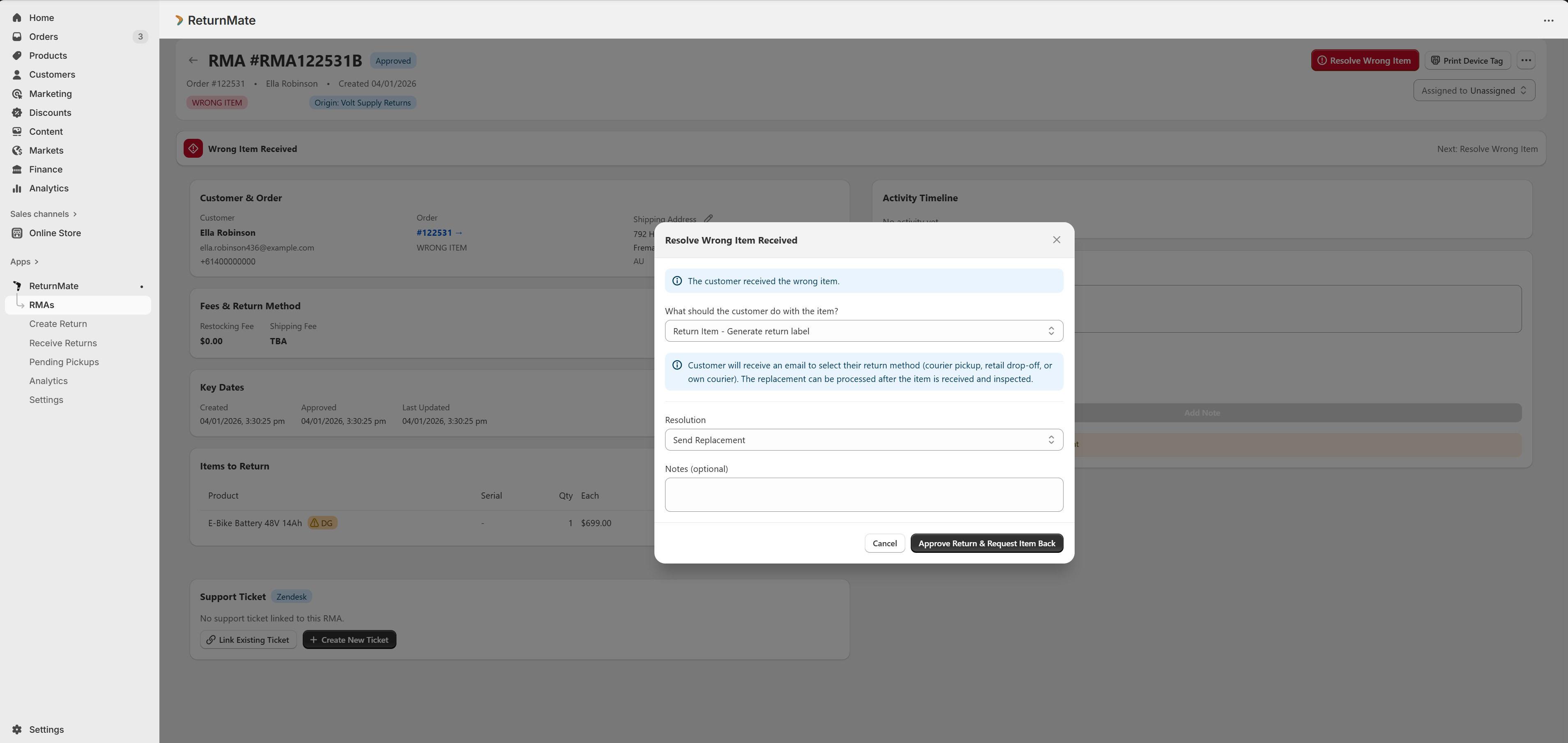
Review and Decide
- Click Resolve Damaged Item (or Resolve Wrong Item)
- Select Customer returns the item
- A return shipping label is generated and sent to the customer
Await Return
The RMA moves through the standard shipping flow:
- Waiting Customer → Label Generated → In Transit
Receive and Resolve
- When the item arrives, click Mark as Received
- The RMA moves to Received status
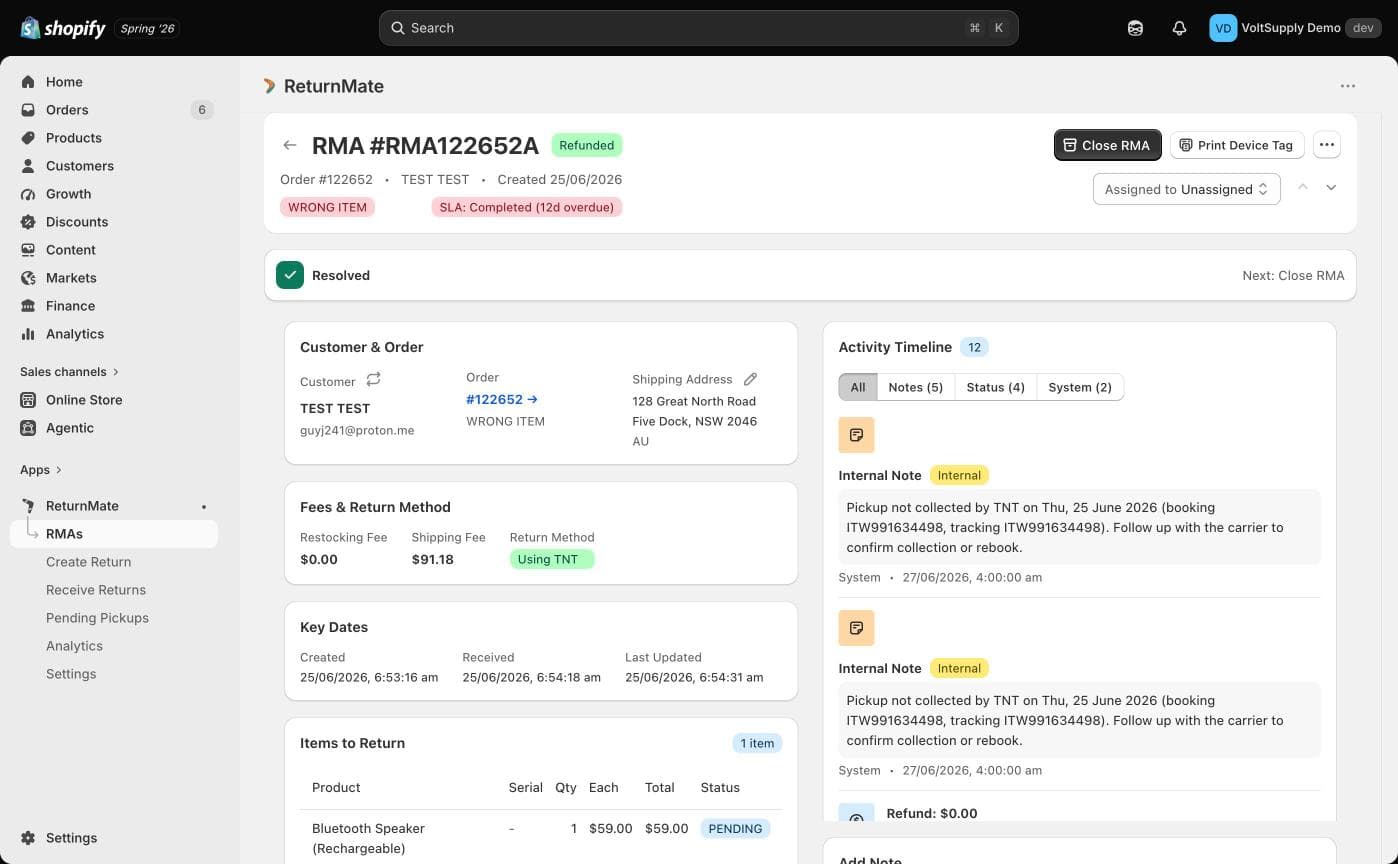
- Click Process Resolution to complete the refund or create a replacement
Close
Click Close RMA to finalise.
Submitted → Approved → Waiting Customer → Label Generated → In Transit → Received → Resolved → Closed
Status Flow Summary
Submitted / Pending / Draft
    ↓
[Resolve Damaged/Wrong Item]
    ├── Customer keeps → Resolved → Closed
    └── Customer returns → Waiting Customer → ... → Received → Resolved → Closed
Damaged in Transit and Wrong Item returns never have restocking fees applied, as the issue is not the customer's fault. This is enforced automatically by ReturnMate.
Available Actions by Status
| Status | Primary Action | Notes |
|---|---|---|
| Submitted / Pending | Resolve Damaged/Wrong Item | Two-step decision modal |
| Approved / Waiting Customer | Mark as Received | If customer is returning the item |
| Waiting Customer (with label) | Mark as Received | Label sent, awaiting shipment |
| In Transit | Mark as Received | Package on the way |
| Received | Process Resolution | Item arrived, process refund or replacement |