Approvals & Communication
Approve or reject warranty claims and keep customers informed with notes, emails and portal replies.
This guide covers approving or rejecting warranty claims, and communicating with customers throughout the repair process — via notes, automatic emails, and the returns portal.
Approving and Rejecting Claims
When a warranty claim is pending, the RMA header offers two actions:
- Approve RMA — accepts the claim and moves it forward (issuing a return label is the usual next step). For out-of-warranty repairs the dialog is titled Approve Out-of-Warranty Repair, and for third-party repairs Approve Third Party Repair.
- Reject RMA — declines the claim with a reason communicated to the customer.
There are no multi-level approval chains — any staff member with access to the RMA can approve or reject it. To work through pending claims, filter the RMA list by status.
Deciding a claim
- Is the product within its warranty period? (Checked automatically against your warranty policies)
- Is the issue covered under your warranty terms?
- Is there evidence of misuse or damage in the customer's photos?
- Has the customer provided the required details (fault description, serial number)?
Remember that approval is not the final coverage decision — the determination (Warranty Approved, Out of Warranty, Customer Damage, No Fault Found) is made at inspection, after the item arrives. See Warranty Case Lifecycle.
Urgent and escalated flags
Mark Urgent and Escalate are available from the RMA's actions menu. They add an Urgent or Escalated badge to the RMA — they're flags for prioritisation, not statuses, and don't change the workflow.
Notes: Internal vs External
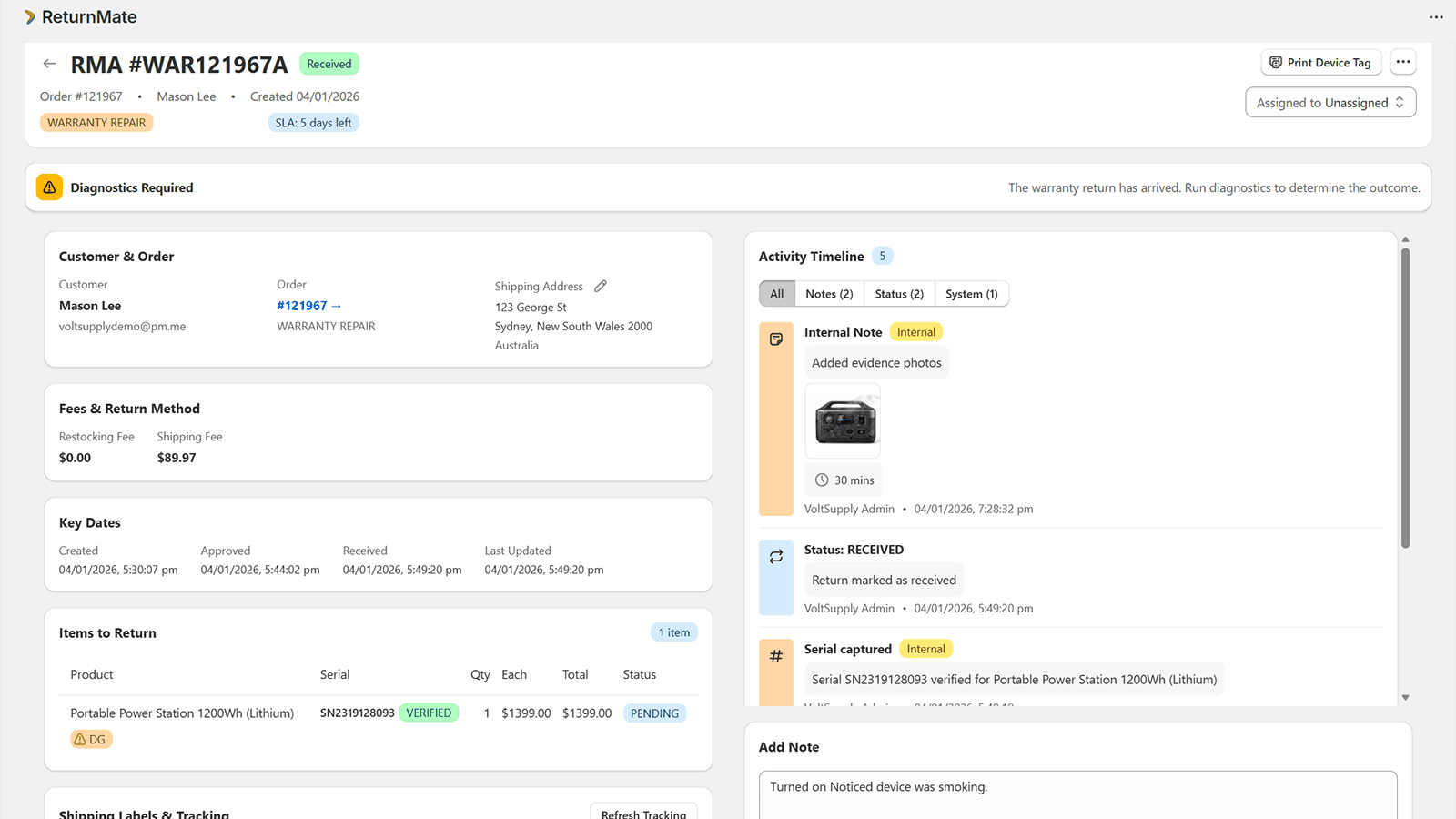
Every RMA has an Add Note form with a toggle:
- Internal (the default) — shows the banner "Internal note - visible to staff only, no email sent". Use for diagnostics findings, handover notes and anything customers shouldn't see.
- External (Email) — shows the banner "Customer will receive this note via email". The note is emailed to the customer and appears on their portal status page.
Notes support up to 10 attached photos. On warranty RMAs the same form also records Labour Time (with quick +5/+15/+30/+60 minute buttons), Repair Parts from your configured parts collection, and lets you update the Warranty RMA Status.
Syncing notes to support tickets
If the RMA is linked to a Zendesk or Gorgias ticket, the Add Note form shows Sync to Support Tickets checkboxes (ticked by default when a ticket is linked), so your support tool stays in step without double entry.
Customer Replies from the Portal
Customers can reply directly from their portal status page. Their messages appear on the RMA's Activity Timeline, so the whole conversation lives with the case.
Automatic Emails
ReturnMate emails the customer automatically at key lifecycle points, including:
| Event | |
|---|---|
| Claim approved | Approval confirmation |
| Label generated | Return label / shipping instructions |
| Quote sent | Quote details with a link to accept or decline in the portal |
| Claim rejected | Rejection with the reason |
| Resolution complete | Outcome confirmation |
| External note added | The note content |
See Notifications and Email Templates for configuration and branding.
Handling Difficult Conversations
- Upset customers — acknowledge the frustration, explain the inspection findings (inspection notes and photos on quotes help enormously here), and offer the available options.
- Disputed decisions — review the case, consider any new information, and use the Escalate flag plus an internal note to bring in a colleague before communicating the final decision.
- Document everything — timeline entries are your audit trail; prefer notes over out-of-band phone calls, or summarise calls in an internal note.
Best Practices
- Default to internal notes; switch to External (Email) deliberately
- Attach photos to inspection notes — customers accept decisions they can see
- Keep support-ticket sync on when Zendesk or Gorgias is linked
- Use Urgent/Escalate flags rather than ad-hoc reminders
- Use clear, jargon-free language in anything customer-facing