Serial Number Capture
Capture serial numbers in the portal and at receiving, and verify them against each other to catch mismatches.
Serial number tracking confirms that the unit you receive is the unit the customer said they were returning. ReturnMate captures serials at two points — the customer portal and receiving/inspection — and automatically compares them, flagging any mismatch for review.
How It Works
- The customer enters the serial number when submitting their return in the portal (if enabled)
- Staff enter the serial from the physical item when receiving it
- ReturnMate compares the two — serials are normalised (uppercase, trimmed) for consistent matching
- A match verifies the serial; a mismatch is flagged on the timeline for review
Configuration
Serial tracking is configured under Settings → Serial Tracking:
- Capture points — Customer Portal and Receiving/Inspection, each set to Off, Optional, or Required
- Apply To — all items, tagged products only, specific case types (Returns, Warranty Claims, Repairs), or products flagged in the Product Catalog
- Enforce unique serial numbers — prevents the same serial being used across multiple active RMAs
See Serial Tracking Settings for the full configuration reference.
Capture at the Customer Portal
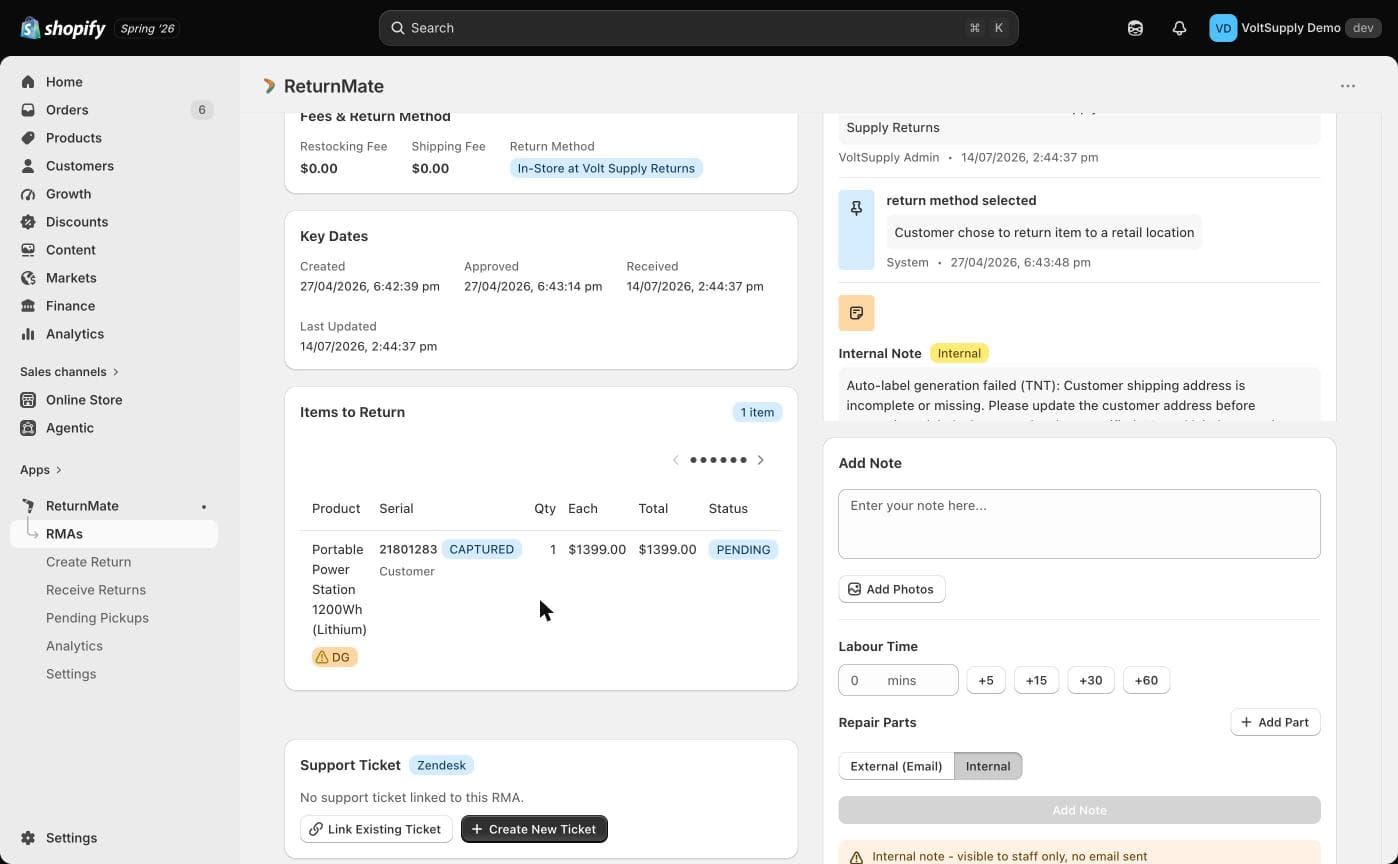
When enabled, the portal asks the customer for the serial number of each applicable item during return submission. If capture is set to Required, the customer cannot submit without it. The serial is stored against the RMA item with status CAPTURED and appears on the RMA's Items to Return list.
Verification at Receiving
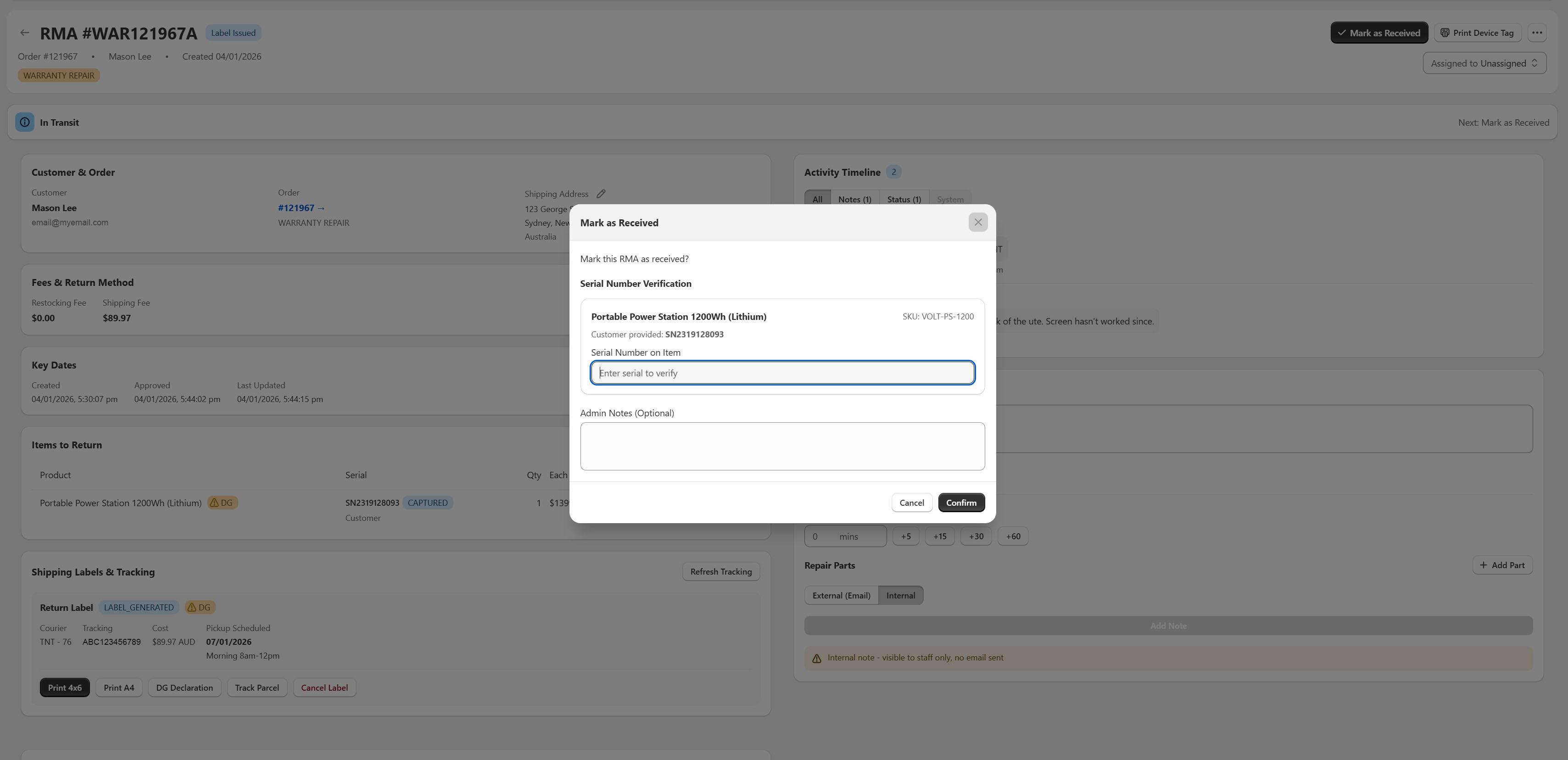
When staff click Mark as Received on an RMA, the modal includes a Serial Number Verification section for any item where the customer provided a serial. It shows the customer-provided value, and staff type the serial found on the physical item into the Serial Number on Item field. A live indicator shows Match or Mismatch as you type.
Serial Statuses
| Status | Meaning |
|---|---|
| CAPTURED | Serial recorded (by the customer or staff), not yet verified |
| VERIFIED | Staff-entered serial matches the customer-provided serial |
| MISMATCH | Staff-entered serial does not match — flagged for review |
Removed serials are kept as a soft-deleted record and no longer appear on the item.
Every capture, verification, mismatch and removal is written to the RMA's Activity Timeline as an internal entry, so you have a full audit trail of who recorded what and when.
Handling Mismatches
A mismatch doesn't block the return — it flags it. The timeline entry records both values (for example: customer provided "SN123…", staff entered "SN456…"). Common causes:
- The customer returned a different unit than the one they registered
- A typo at either capture point
- Multiple units of the same product mixed up in the household
Staff can edit a serial (which resets it to CAPTURED for re-verification), mark it verified or mismatched manually, add notes, or remove it.
When staff capture a serial that has already been returned on another RMA, ReturnMate shows a warning with the earlier RMA number. Review that RMA's history before approving a warranty resolution — repeat returns of the same unit can indicate an unresolved fault or a fraudulent claim.
Best Practices
- Require portal capture for warranty-heavy or high-value product lines
- Always verify at receiving — it takes seconds and catches unit swaps
- Investigate mismatches before starting repair work
- Use the tagged-products or case-type scope so staff aren't prompted for serials on items that don't have them